For cleaners
Know your next job without the texts
Hosts send you cleaning jobs from their bookings. Accept or decline each offer. Each job shows the address and door code. Earnings shows what you’ve earned.
iPhone, Android and the web
Maria · Tuesday
- New offer: Kallio Studio checkout
- Accepted in the app
- Guest out, door code in the job
- Marked done, pay shows in Earnings
How it works
Sign up as a cleaner
Create an account on the web or in the app and choose Cleaner.
Answer the offer
Each offer shows an expiry time. Accept the offer, or decline and say why.
Clean and mark it done
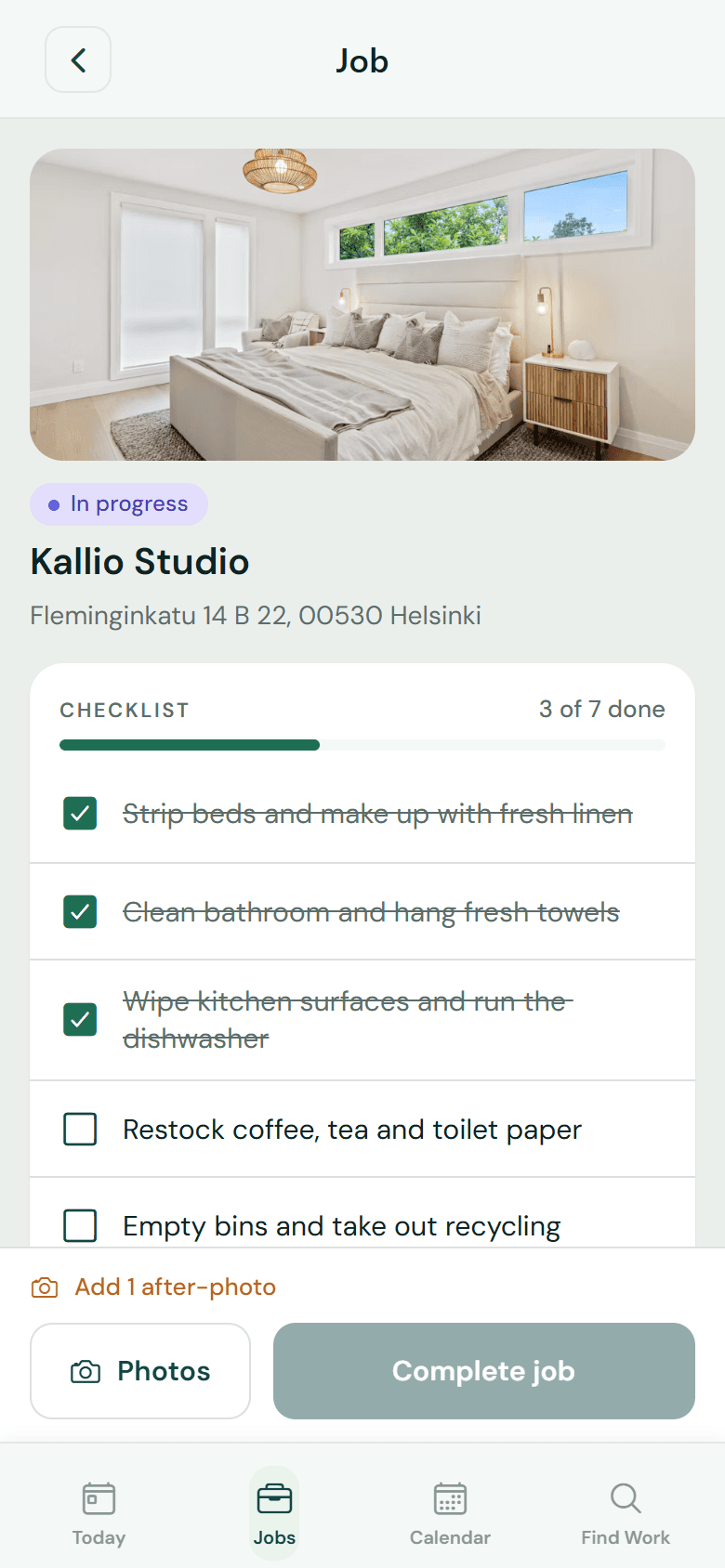
Open the job for the door code and checklist. Mark the job done and add photos if you want.
Every host on one calendar
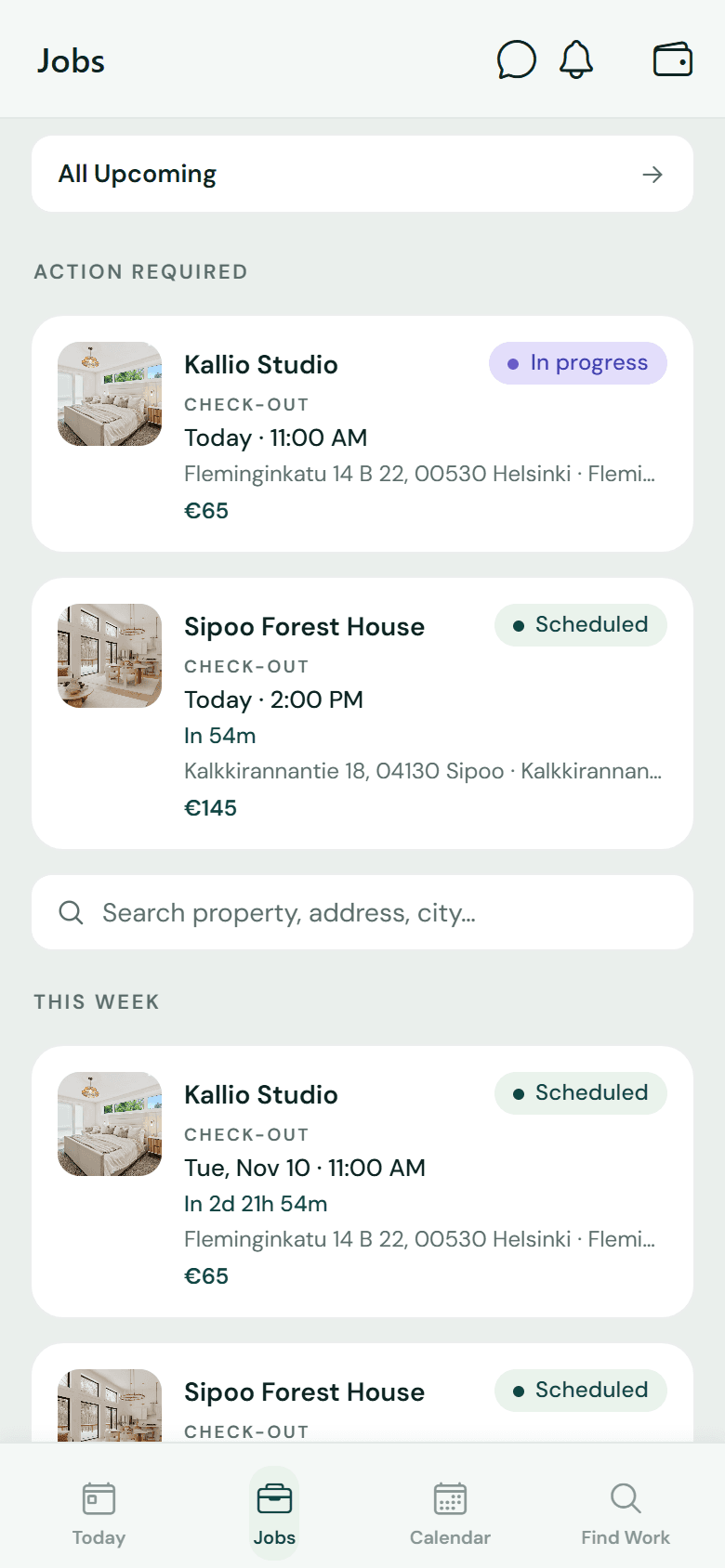
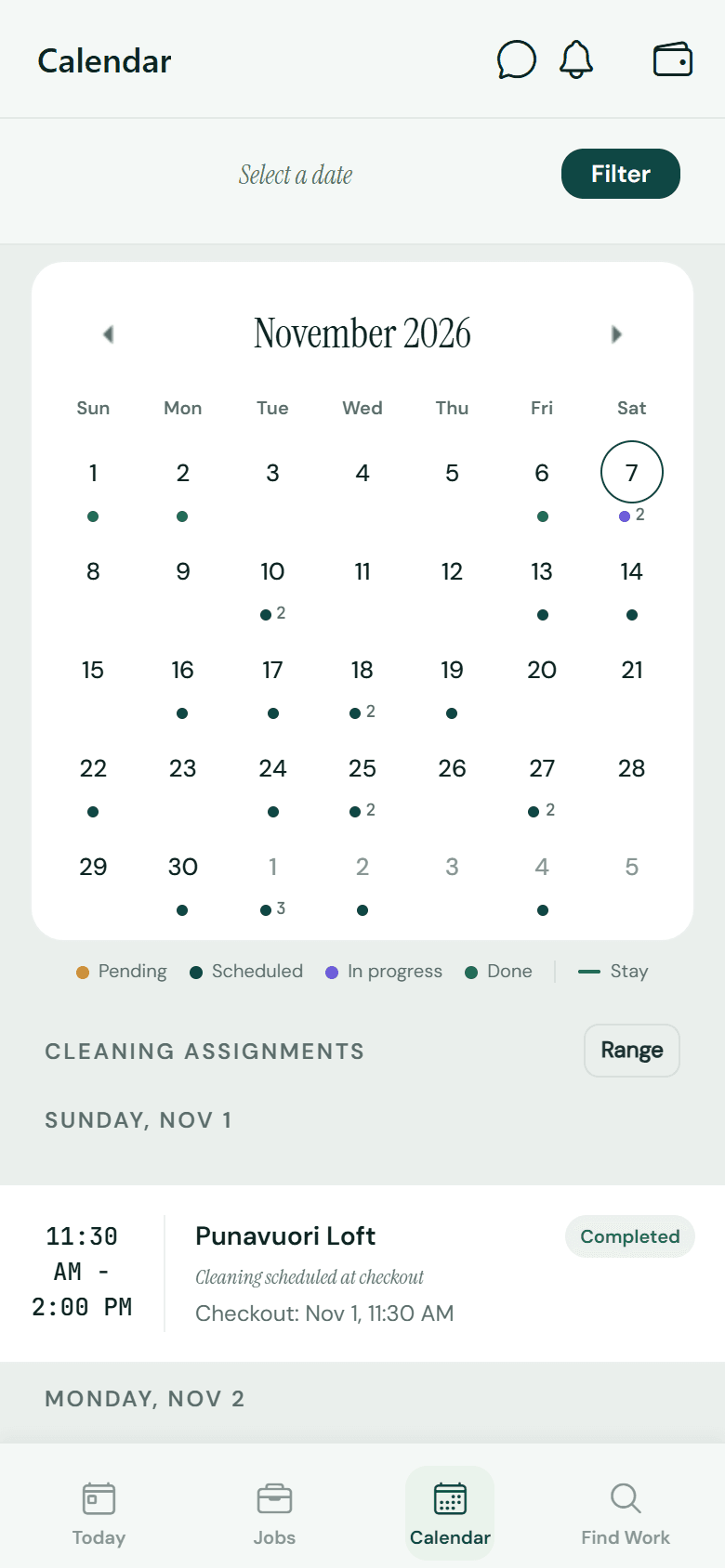
Work for several hosts from the same account. Today shows what’s on now. Jobs lists the next jobs with the pay. Calendar shows the month.
Each job has the address with directions, check-out and check-in times, the door code and the host’s checklist. You can start the job after checkout.
- Offers show the pay and the expiry time
- Usually 48 hours to answer for a job days away, 2 hours or less on the same day
- Decline with a reason and the job goes to the host’s next cleaner
Fill your gaps with jobs nearby
Turn on marketplace availability and set your address and travel radius. The default radius is 25 km. When a host on Pro or Business has no cleaner for a job, Oordio posts the job to nearby cleaners.
Send a bid with your price, a short message and the hours you need. If the host accepts your bid, the job is yours at your price. Oordio takes the marketplace fee from your payout.
- Hosts see your rating and a reliability score
- The reliability score comes from completed, on-time and accepted jobs and your reviews
Always know what you’re owed
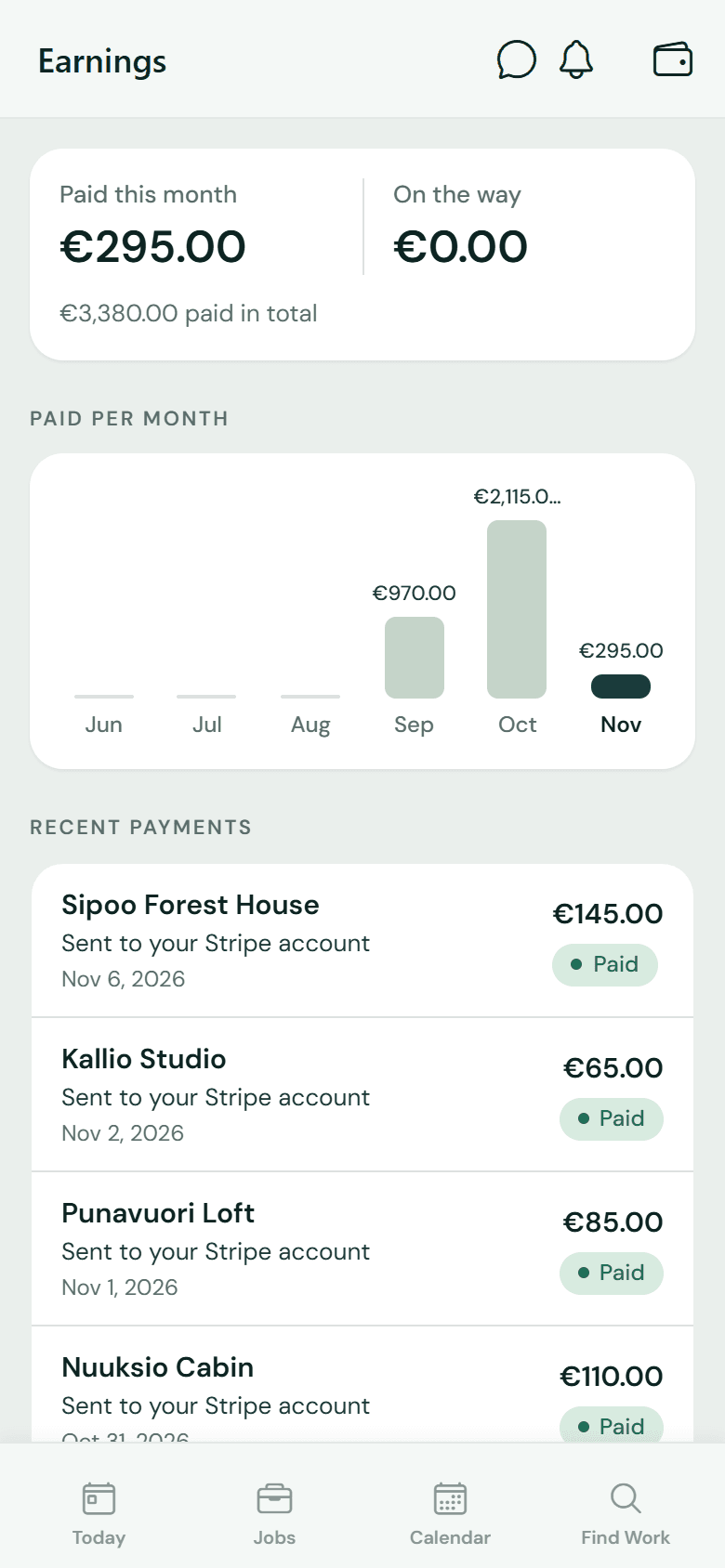
Earnings shows this week, this month, all time and what’s still pending. Export your earnings as CSV for your bookkeeping.
Some hosts pay in the app. Stripe pays you when the host approves the job, or automatically 6 hours after you mark the job done. Open Stripe from Earnings to see your payouts. Other hosts pay you directly and mark the job paid.
What Oordio takes
- 0%On jobs from hosts who added you as their cleaner
- 3–8%On marketplace jobs, depending on the host’s plan
- 25 kmDefault marketplace radius. Set your own
Questions
Do I pay a fee on jobs from my own hosts?
No. Oordio takes no fee on jobs from hosts who added you as their primary or backup cleaner.
How does the marketplace fee work?
The host pays the job price, which is your accepted bid. Oordio takes a fee of 3% to 8% from that price, depending on the host’s plan. You receive the rest, so keep the fee in mind when you bid.
Can I work for more than one host?
Yes. Jobs from all your hosts show in the same Today, Jobs and Calendar views.
What happens if I decline an offer?
The job goes to the host’s next cleaner, usually their backup. You can give a reason. Your acceptance rate is one part of your marketplace reliability score.
Do I have to take photos?
No. You can add before and after photos when you finish a job. Photos are optional.
Where can I be paid through the app?
In-app payments through Stripe work in the EEA, the UK and Switzerland. Elsewhere, or if the host prefers, the host pays you directly and marks the job paid.
Get your next job on your phone
Create a cleaner account. Ask your hosts to invite you, or turn on the marketplace.