Real estate investors
Your rentals cleaned, wherever you live
Your cleaner gets each turnover from the booking calendar. You follow the job on your phone, see what was done and pay without being there.
On every plan. Backup cleaner from Starter, marketplace from Pro
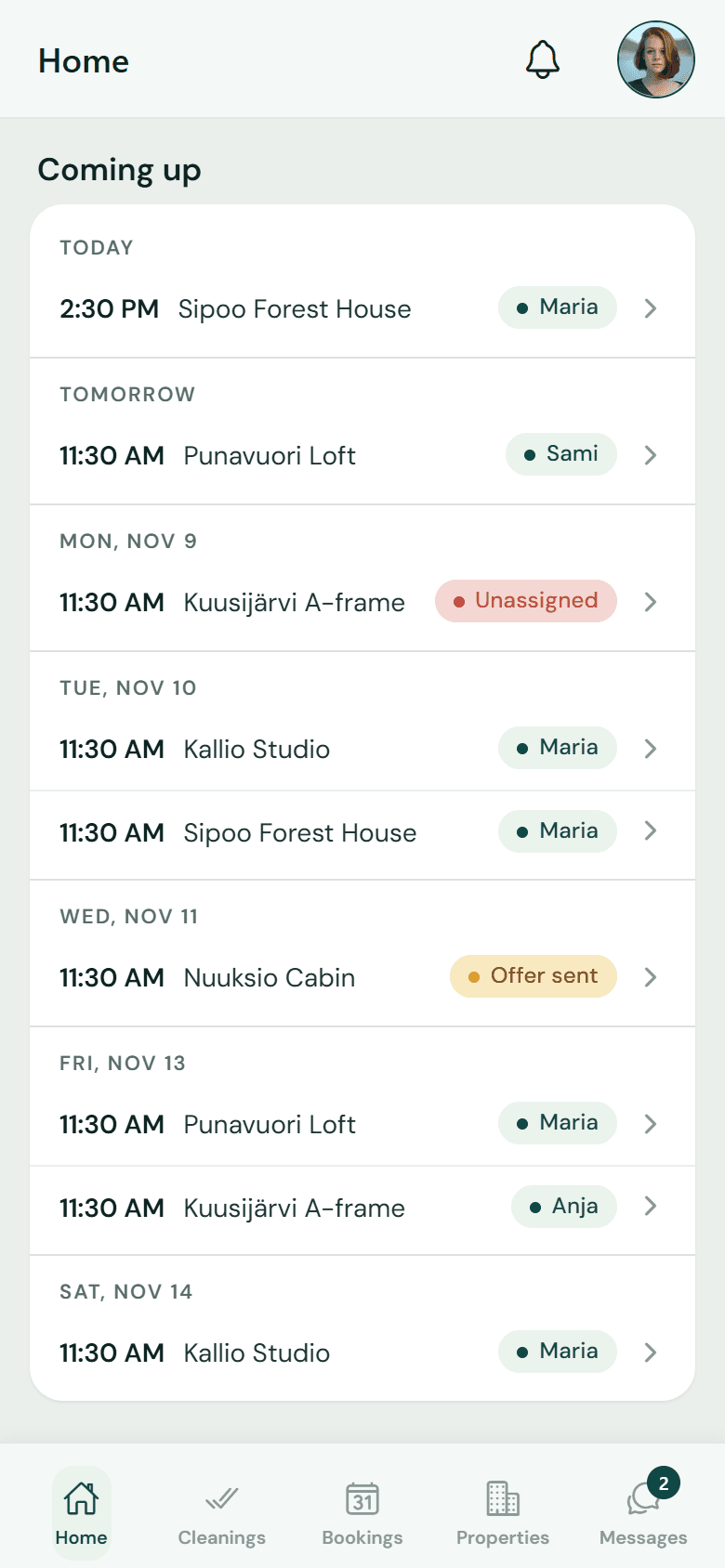
Nuuksio Cabin · you are 1,500 km away
- Guest checks out
- Sami starts the job
- Checklist done, photos added
- You approve it from your phone
How it works
Connect the calendar
Paste the property’s Airbnb, Booking.com or Vrbo calendar link. Or connect Hostaway, Guesty, OwnerRez or Lodgify.
Add your local cleaners
Set a primary cleaner and, from Starter, a backup. Oordio offers each job to the primary first, then the backup.
Follow it from your phone
See who accepted and read issue reports. Look at the cleaner’s photos and rate the job.
A no doesn’t leave you stuck
Each offer has a deadline. For a turnover more than 48 hours away, your primary cleaner has 48 hours to answer. On the same day, the primary cleaner has 2 hours.
If the primary cleaner declines or doesn’t answer, the job goes to your backup. On Pro and Business, the job can then go to the marketplace. Nearby cleaners bid and you choose one. If nobody takes the job, you get a push notification. Offer the job again or assign someone.
How the marketplace works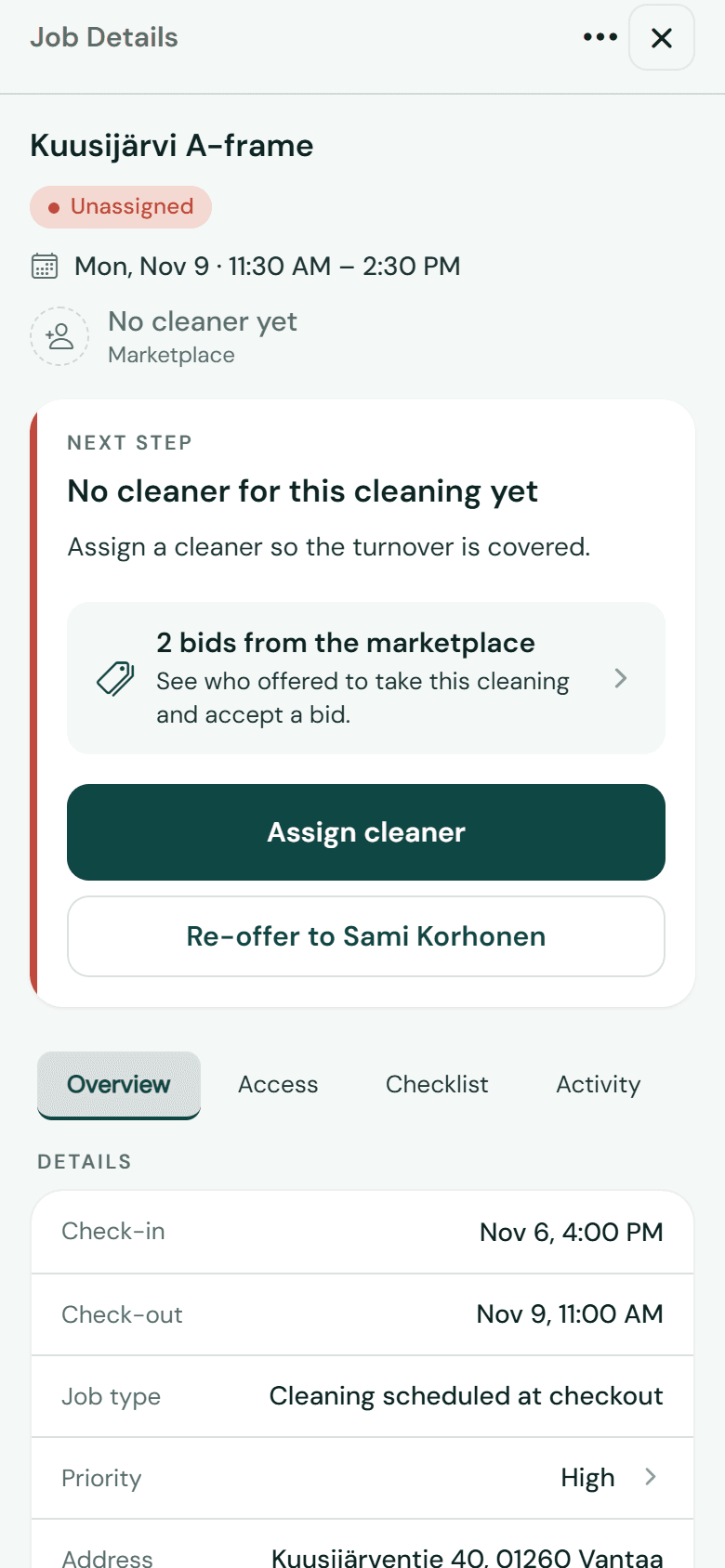
See the work without being there
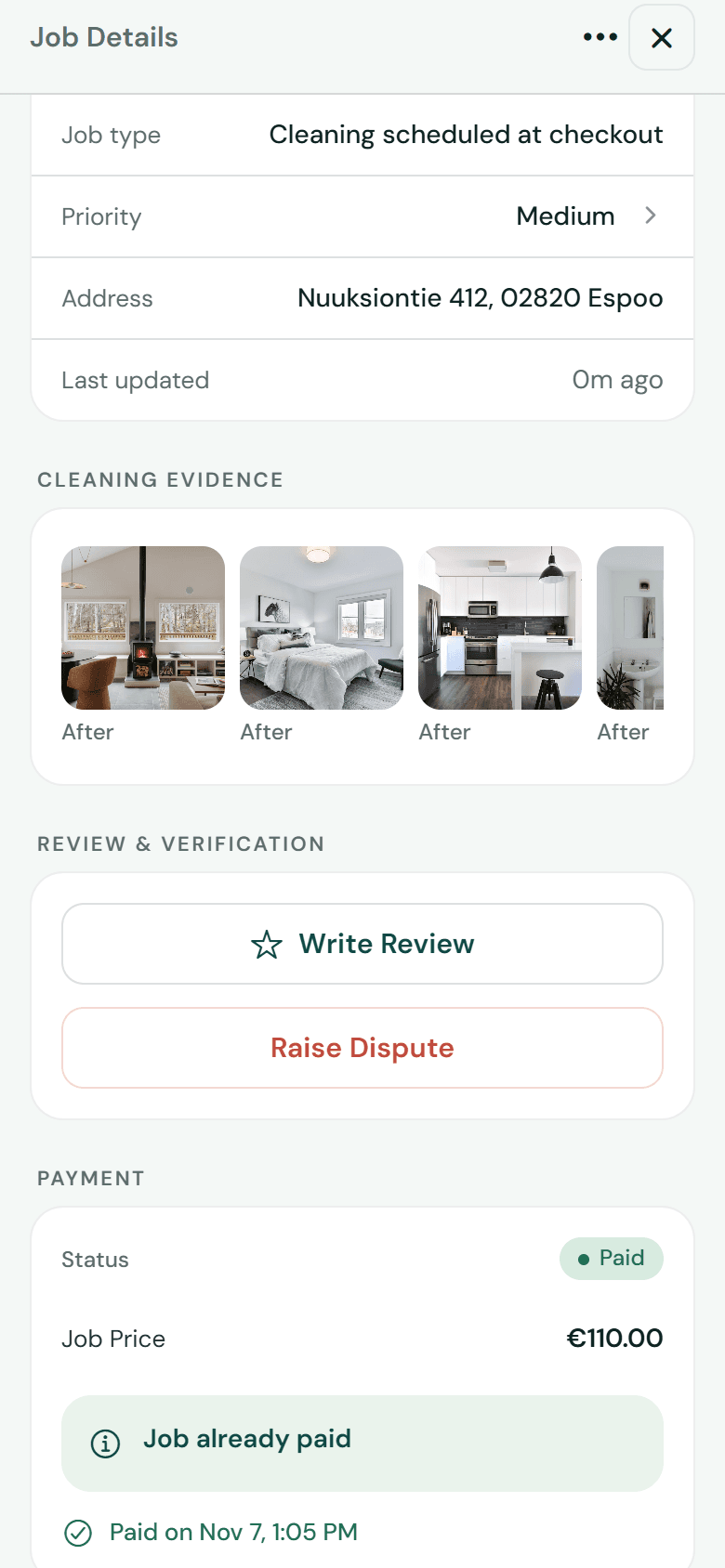
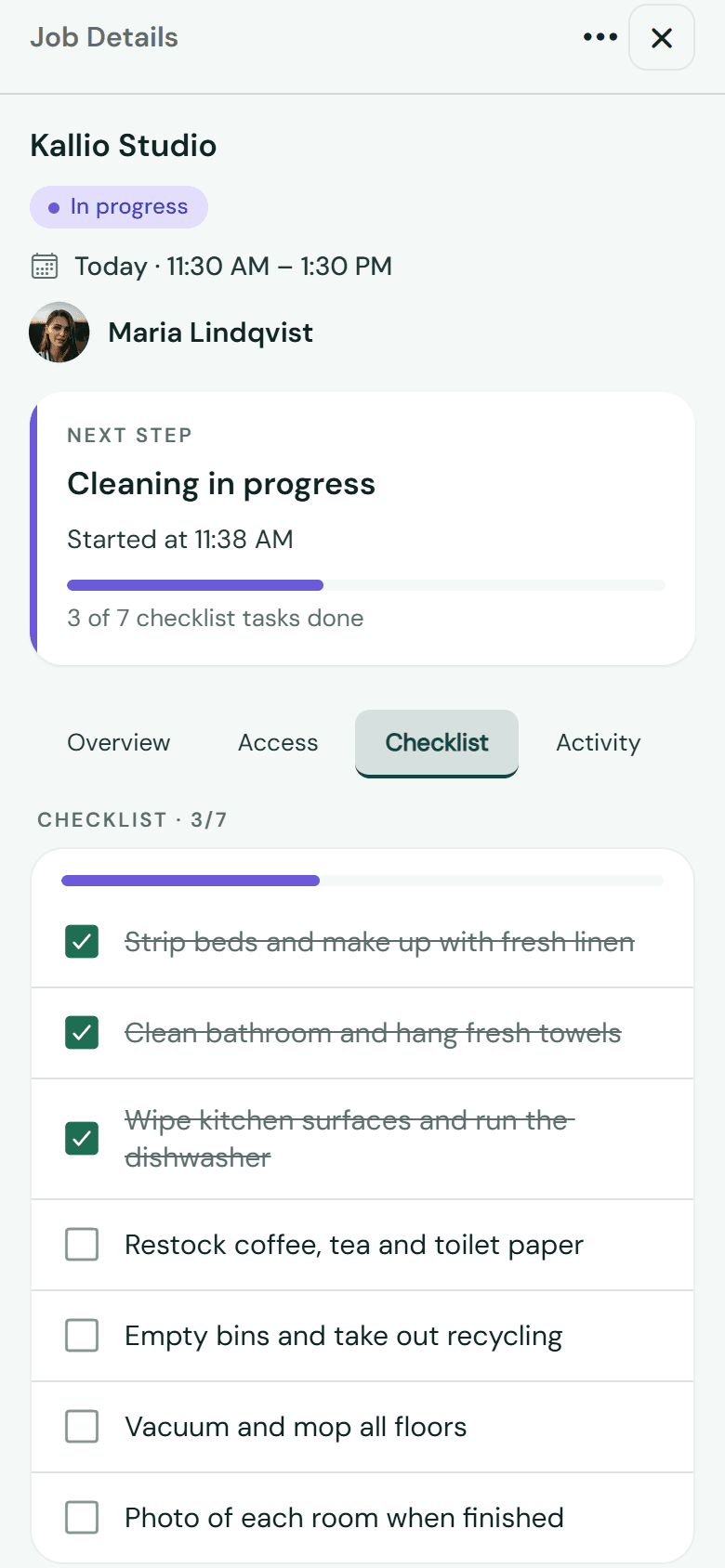
Each turnover has its own job. The job shows the checklist the cleaner ticked, any before and after photos and any reported issue.
Photos are optional for the cleaner. Agree with your cleaner what you want to see. After each job, rate the cleaner’s quality and reliability from 1 to 5.
- Issue reports with photos, from your cleaner and your guests
- Guest requests through the stay link, from Starter
- Analytics per property and per cleaner, from Starter
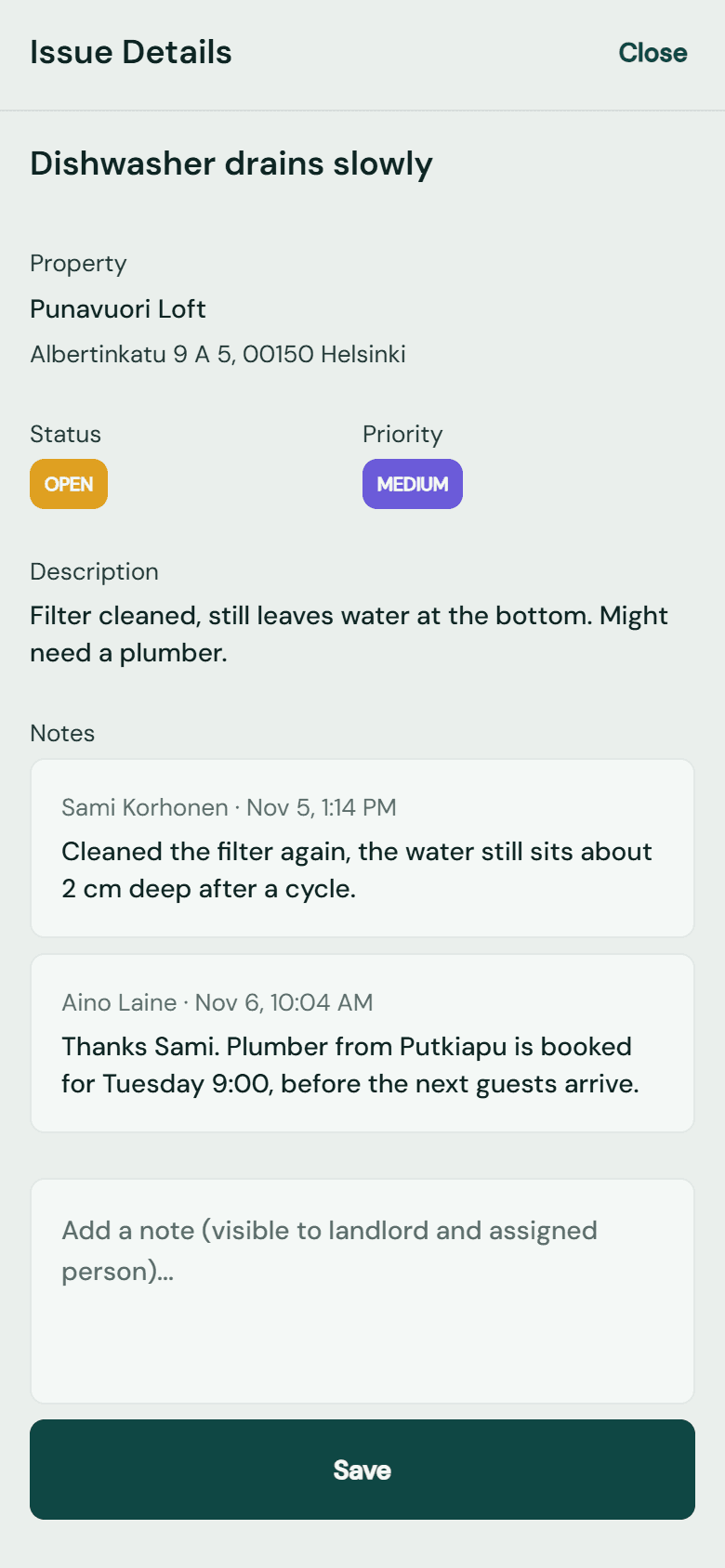
Someone nearby for keys and boilers
Invite a local helper for keys or a broken boiler to your workspace. The ops role can make changes. The viewer role can only look.
Limit the helper to the properties they look after. Team seats come with Pro (the owner and two more) and Business (ten).
Roles and team access
Paying your cleaner
- 0%Oordio fee on jobs done by your own cleaners
- 6 hWith in-app payments, the time you have to approve or dispute a finished job
- 3–8%Fee on marketplace jobs, lower on bigger plans
Who it’s for
A good fit if
- You own short-term rentals in a city or country you don’t live in
- You have a local cleaner, or plan to use marketplace cleaners on Pro
- You want to follow each turnover without phoning anyone
Probably not if
- You want a company to manage the property for you. Oordio is software
- You need a booking engine, channel manager or accounting tool
Questions
How do I pay the cleaner from abroad?
Two ways. Pay the cleaner as you do now and mark each job paid. Or turn on in-app payments (EEA, UK and Switzerland). Your card is charged and Stripe pays the cleaner when you approve the job. With no answer, the payment goes ahead 6 hours after the job is marked done.
Can I make the cleaner send photos?
No. Photos are optional in the app. Ask your cleaner to add before and after photos. The photos show in the job details.
Does Oordio find a cleaner for me?
On Pro and Business, a job your own cleaners can’t take can go to the marketplace. Nearby cleaners bid and you choose one. Oordio doesn’t vet marketplace cleaners. Check each cleaner’s reviews and reliability score.
What if the guest’s checkout changes?
Oordio picks up the change from your calendar link or PMS. The job moves and the cleaner is asked to confirm again. A cancelled booking cancels the job. PMS connections are checked every 10 minutes.
Does Oordio show rental income or returns?
No. Oordio runs cleanings. Oordio analytics, from Starter, show occupancy, cleanings, issues and how quickly cleaners answer.
Try it on one rental
Connect the rental’s calendar and invite your cleaner. Free covers one property.