Guest stay link — one URL for instructions, requests, and payments
Stop repeating check-in details in five chats. Each booking gets a tokenized Stay Portal: what guests need to self-serve, what you need to stay in control, and optional Stripe checkout for mid-stay cleaning. New signups get 30 days of guest portal access without requiring Pro.
For hosts
- Share per booking — One secure link per stay. Copy the link, copy a ready-made message, or share via WhatsApp or SMS.
- Revoke or regenerate — If a link is shared too widely, rotate the token — old links stop working.
- Approve in one place — Time changes, mid-stay cleaning, and issue reports land in Oordio. Approve with a tap; we update the booking and notify your cleaners.
For guests
- Stay context — Guests see stay dates, booking phase, property name and unit, address, check-in and check-out times, and timezone.
- Instructions and FAQs — Access notes, door code, key location, contact phone, written instructions, and your custom FAQ list — all on the same page.
- Maps and directions — Open in Google Maps or Apple Maps, or copy the full address in one tap.
- Request types — Check-in or check-out time changes, mid-stay cleaning requests, and issue reports (with photo upload where needed).
- Track status — Guests see their submitted requests and how they are progressing.
- Optional email updates — Guests can save an email and choose whether to get notifications about their requests.
- Pay for mid-stay cleaning — Guests pay through Stripe when you offer paid mid-stay cleaning — no invoicing or manual chase.
Request types
What guests can ask for — and what you see
Time changes
Guests propose new check-in or check-out times against the booking you already have in Oordio. You approve or decline; accepted changes update the schedule your cleaners rely on.
Mid-stay cleaning
Guests request an extra clean during the stay. When you attach a price, they can pay on the portal with Stripe. No manual invoices — just a clear request trail.
Issue reports
Guests document problems with context and optional photos so you are not decoding vague texts at midnight. Everything stays tied to the booking for your team.
Operations
From guest submit to your decision
- 1
Guest submits
Time change, mid-stay clean, or issue (photos optional).
- 2
You review
See the request in Oordio with full booking context.
- 3
Approve or decline
One tap — guests see status on the portal.
- 4
System updates
Booking times and cleaner notifications flow from your decision.
Security and control
Links are tokenized — guests do not log into your Oordio account. You can revoke or regenerate a link anytime. Only the data you configure for that property and booking is exposed on the portal.
From share to approved change
In the app and on the guest page
In the app — share link
Copy the link, drop it into your message template, or share via WhatsApp or SMS — revoke or regenerate when you need a clean break.
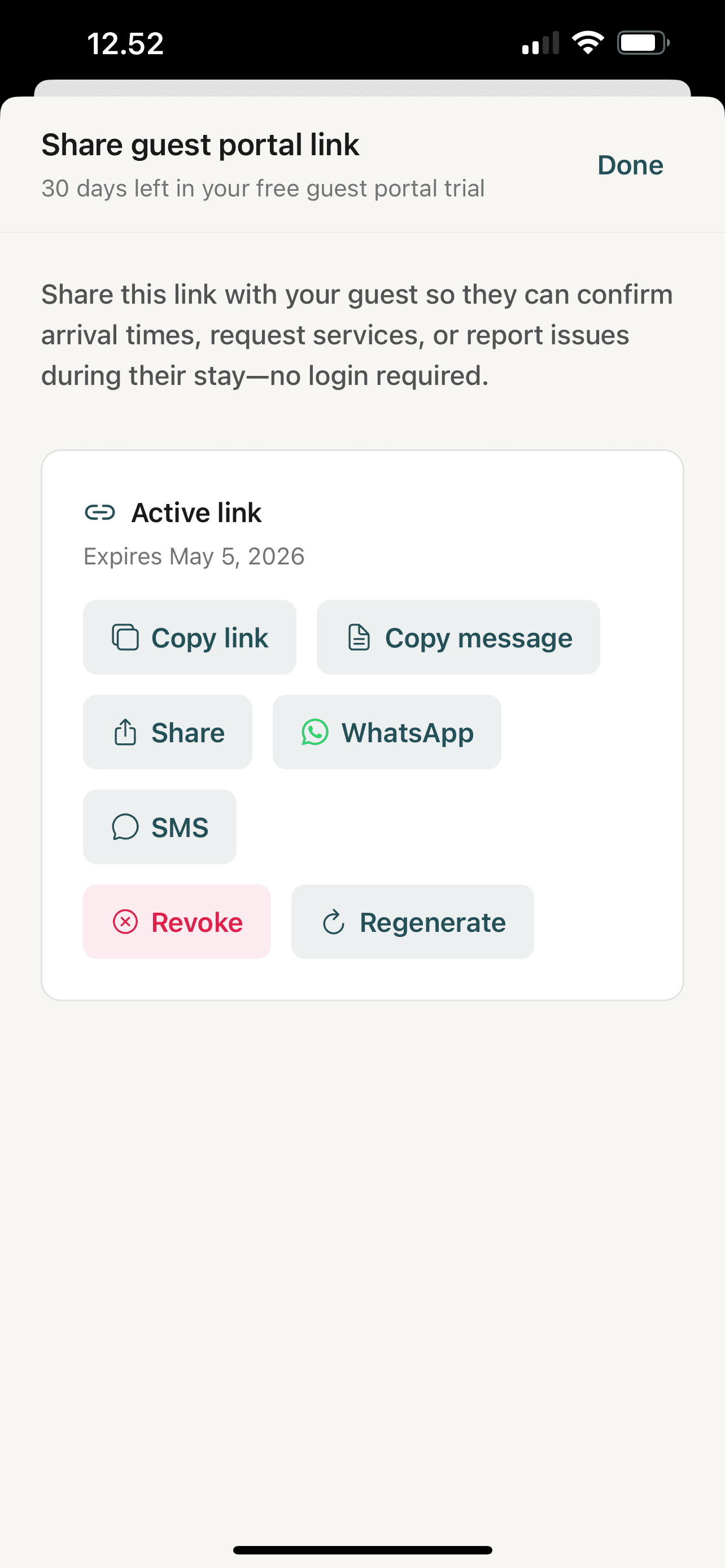
In the app — share link
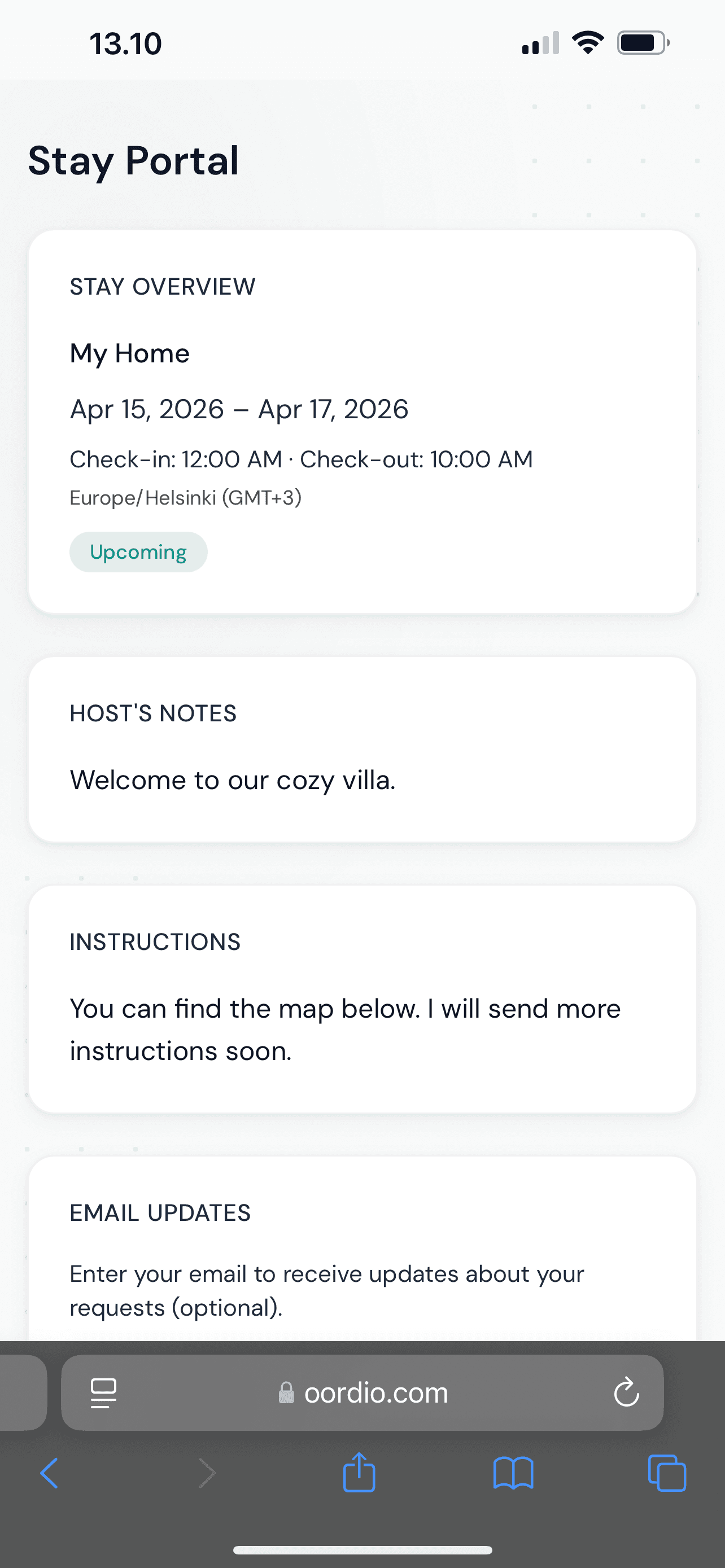
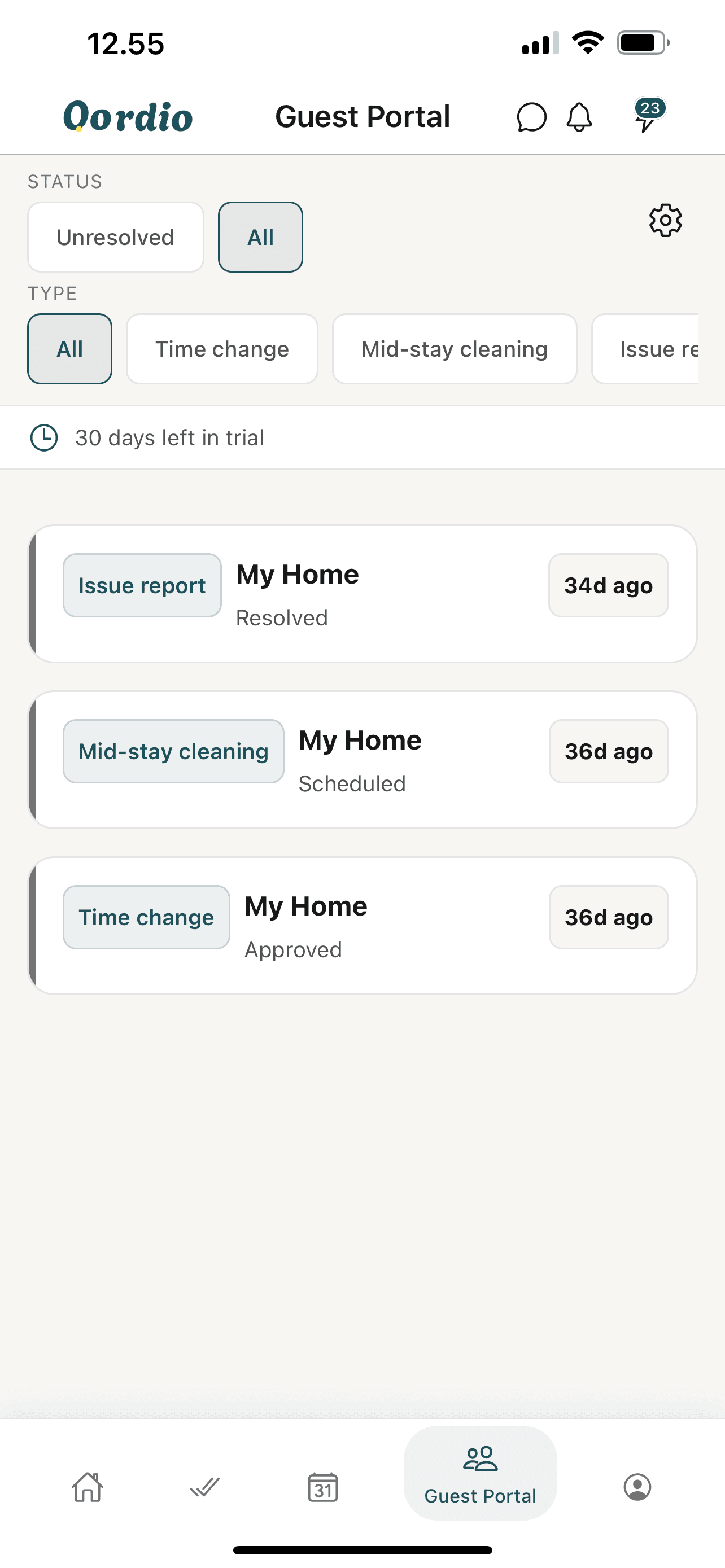
Copy the link, drop it into your message template, or share via WhatsApp or SMS — revoke or regenerate when you need a clean break.
FAQ
Common questions
No. The Stay Portal is opened with a secure token in the URL. Guests do not log into your host account and cannot see other bookings or properties.
Put guest coordination on autopilot
Start in the web app, or download on iOS and Android.