See the host app the way your team actually uses it
These screens are from the iOS shell; the web app carries the same operational model with a layout tuned for keyboard and wide monitors. The point is one system — not a lite mobile companion missing half the workflow.
Surface
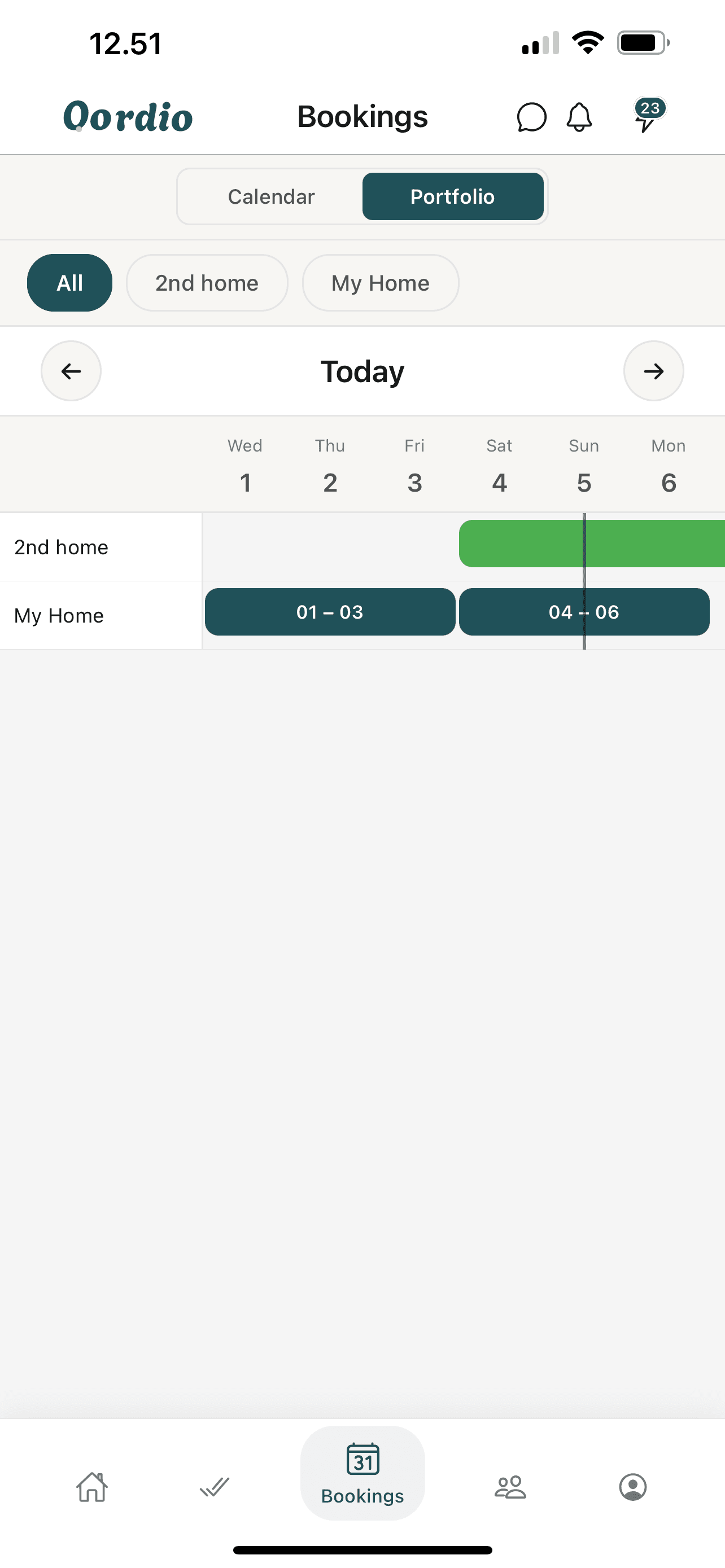
Bookings
See what is coming, what is in progress, and where turns overlap. Bookings are the anchor for jobs, guest links, and payouts.
Surface
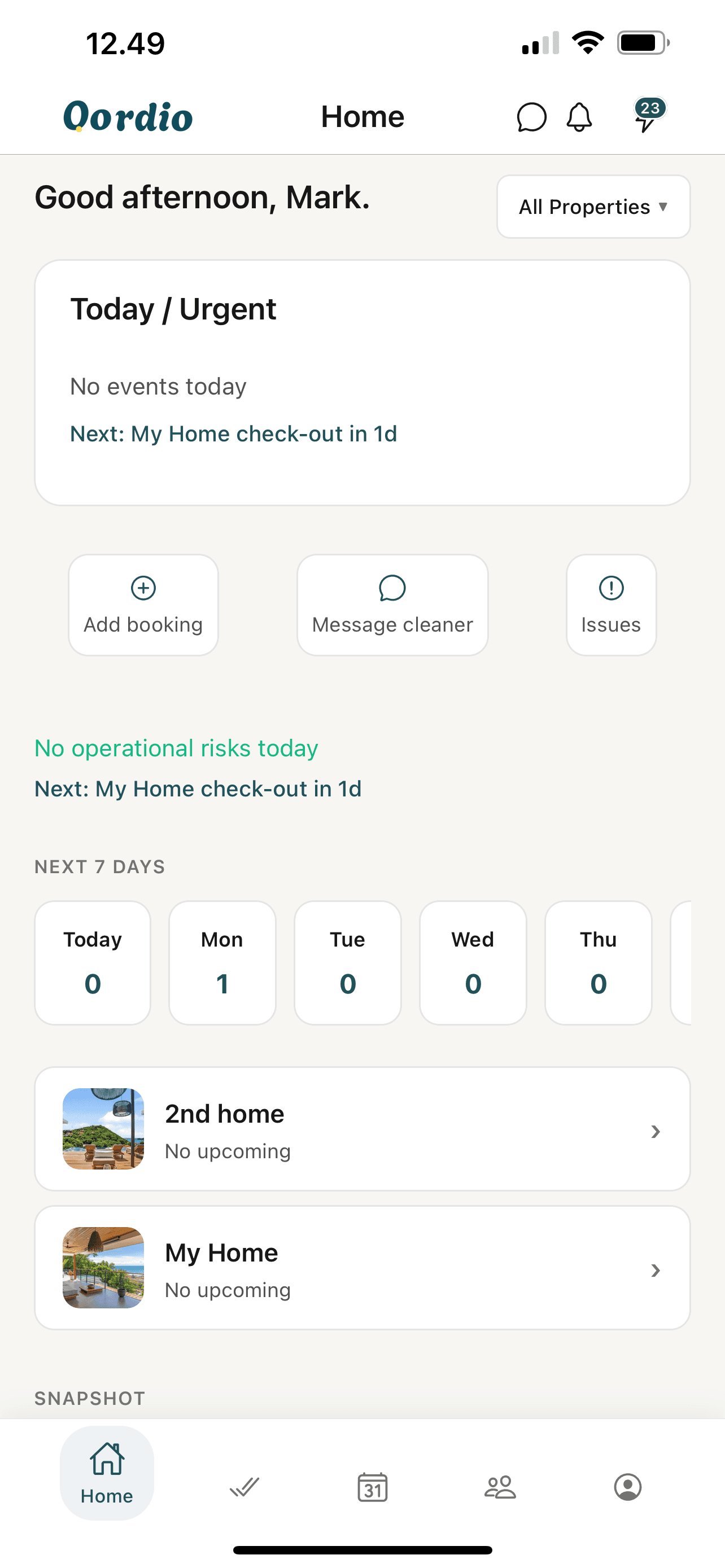
Home / Today
A fast snapshot for mobile: the next deadlines, pending offers, and shortcuts into the areas that usually need a tap.
Surface
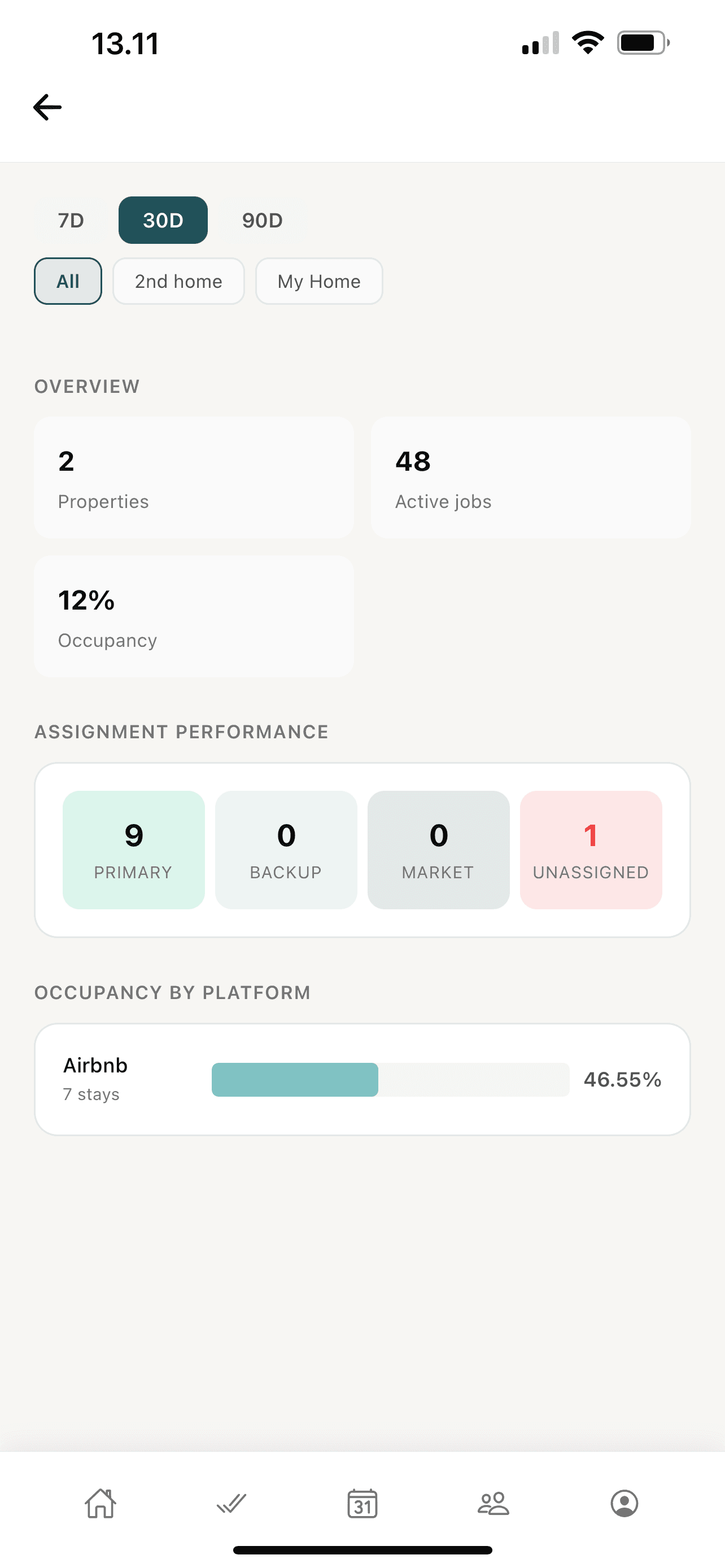
Analytics
Portfolio pulse in one glance — how many jobs are moving, how occupancy looks, and whether work landed on primary, backup, or marketplace paths.
Surface
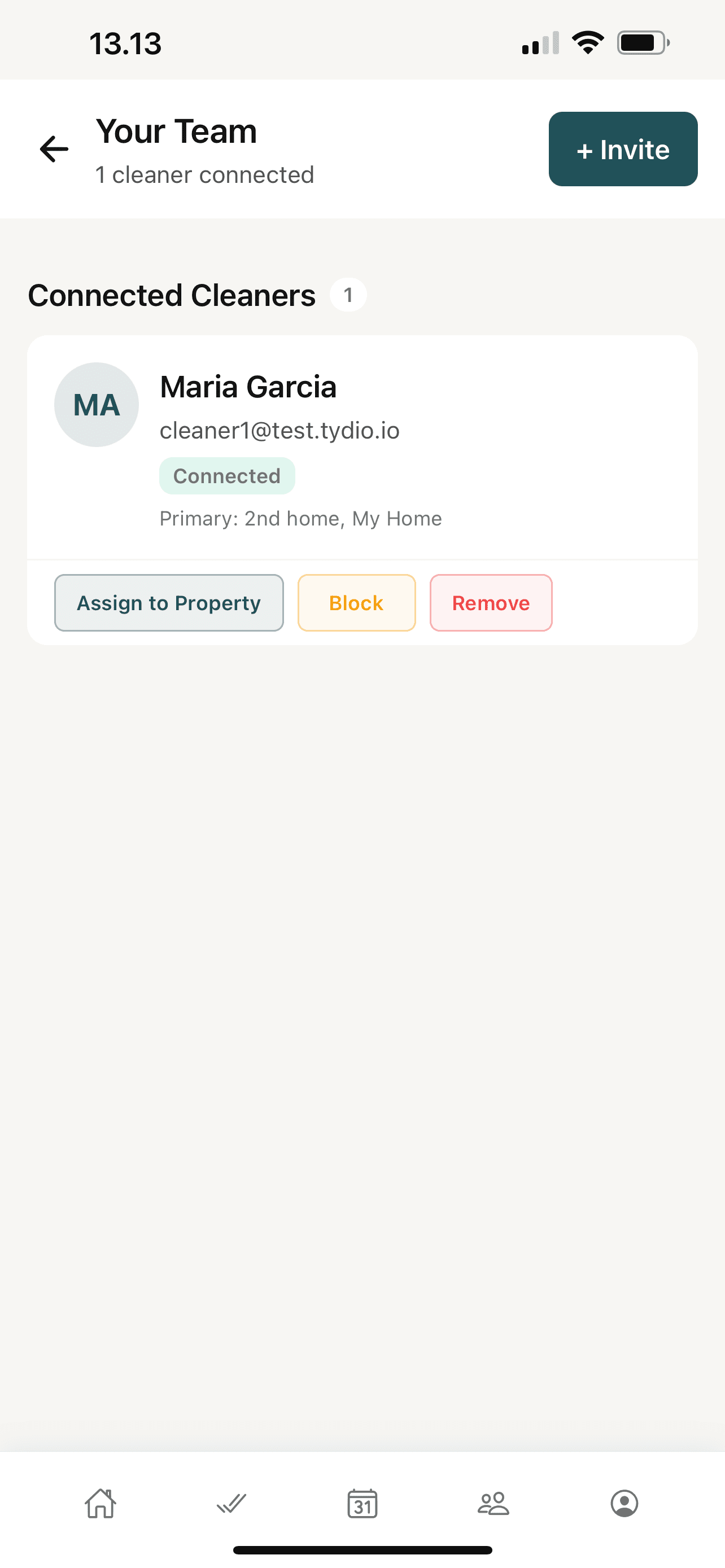
Team
Structure your operation: invite cleaners, see who is connected, and assign people to the right properties without losing the thread in chat.
Cross-check with the full features guide for capability detail.
Web vs mobile
Parity, honestly
If a workflow is critical to running turns, it should be available where you are standing — desk or driveway. Use web for guaranteed access to every administrative surface; use iOS or Android when you want the fastest glance-and-act loop. Both native apps follow the same operational model so nothing is lost switching platforms.
Ready to run calmer turnovers?
Start in the web app, or download on iOS and Android.